links: repo
TypeSmith started as a Python CLI that types commands into a terminal with human-looking timing, so recordings don’t look pasted. It now has a macOS side, merged into the repo this week as three features:
- A global typing shortcut. Each press types the next line of a script into
whatever text field has focus, in a terminal, an editor, a browser or a notes
app, and it never presses Return for you. A
#mode blockscript types a whole code block in one press, whitespace and all. Escape or a second press stops it. - A control panel app for building a recording as ordered command and code steps, each with its own speed. You pick the active step, hide the panel and use the shortcut. After Escape it can restart the step or resume from the last confirmed character.
- Menu bar access and proper app icons.
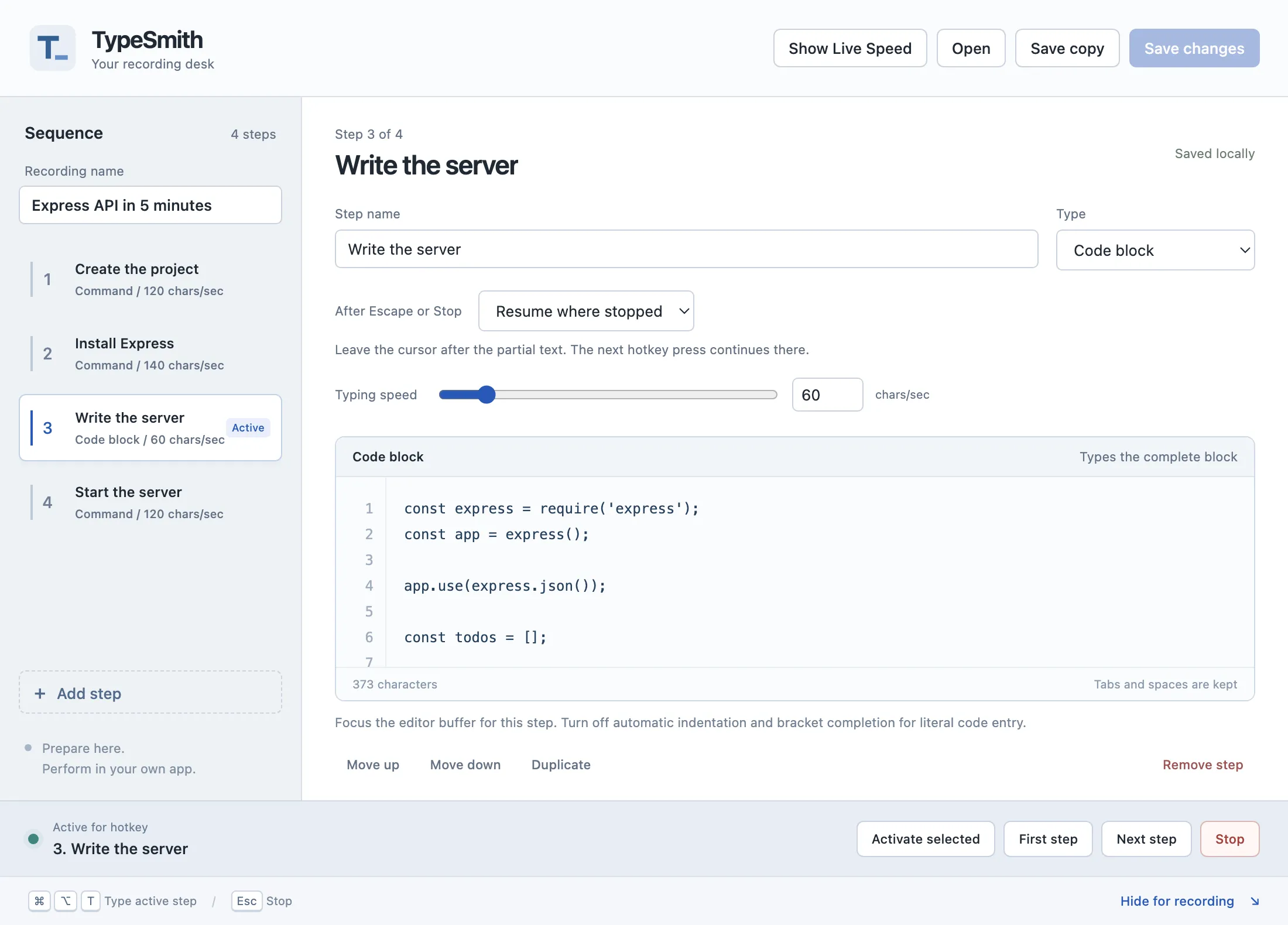
The control panel with a sample recording. The code block step is active for the shortcut.
The app isn’t in the PyPI package and won’t be. PyPI keeps the cross-platform CLI. The app is a Swift build that needs Accessibility permission, and today a Karabiner rule for the shortcut, which a Python wheel can’t reasonably ship. The plan is a signed, notarized DMG: move the shortcut into the app so Karabiner isn’t needed, then Developer ID signing and notarization. Until then it’s ad hoc signed, so it won’t open on other Macs and it loses its Accessibility permission on every rebuild.
One bug came out of the cleanup. With unsaved edits, clicking a step tried to save first, so an invalid step could trap the selection. Now a click just opens the step, and saving makes it active.
The Mac app will be released soon as a signed download. Until then, you can build it from source on macOS.